The chart you already know how to read.
Free flight sim charts beside your route, with your aircraft live on them. For MSFS, X-Plane and Prepar3D.
No credit card. Works in any browser, including iPad.
Same chart. Now it knows where you are.
SimCharts Bridge streams your aircraft from the sim to the map, with the plate open beside the route.
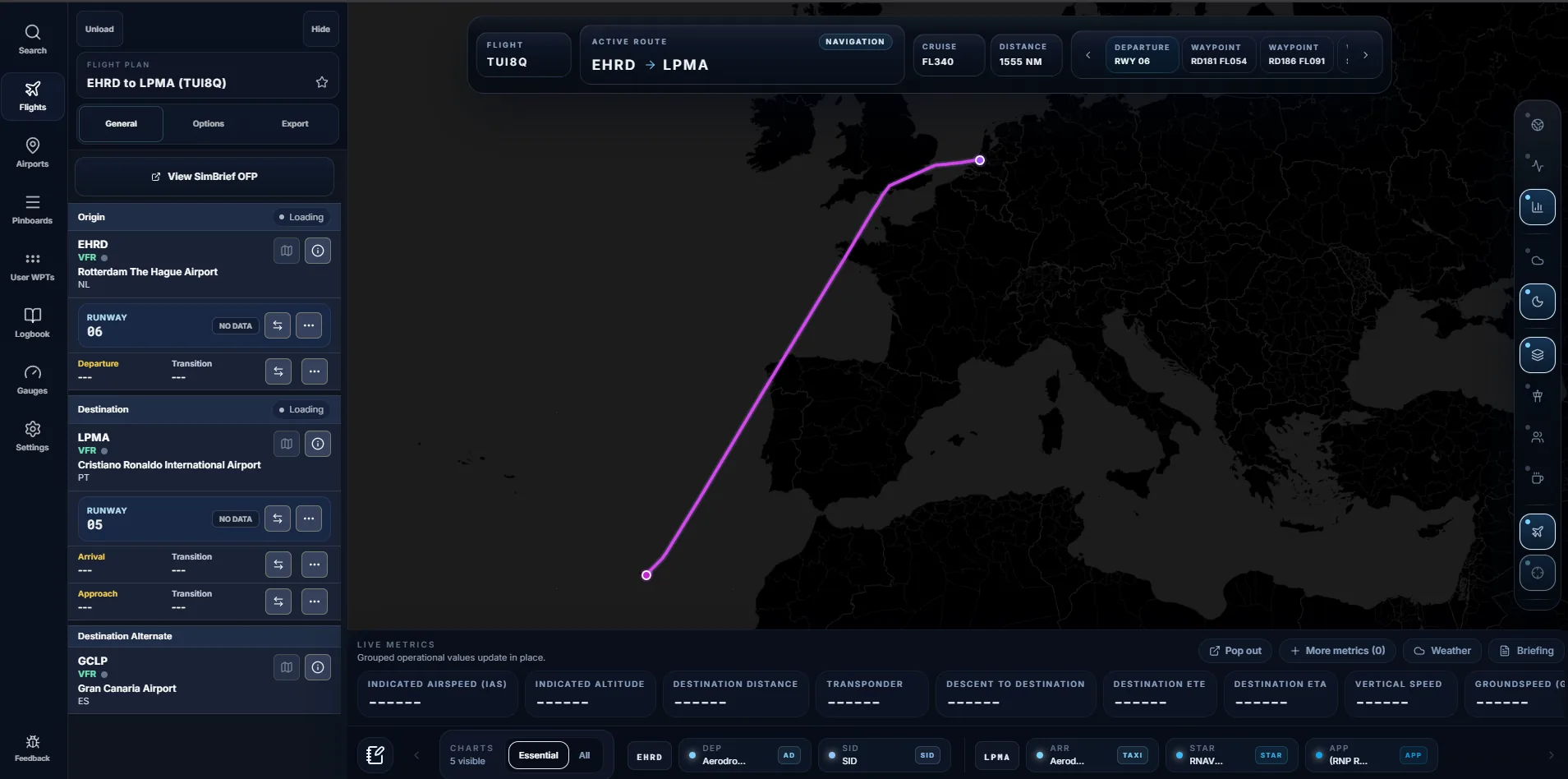
Procedures that fit the plan you filed.
Import your SimBrief flight plan and SimCharts picks out the charts that apply to it, then keeps them beside the route.
Airport diagram
Gates, taxiways and runways for your departure airport, open before pushback.
One Bridge for five simulators.
SimCharts Bridge is a small, free Windows app that runs beside your sim. It finds the simulator on its own and sends position, heading, altitude and the loaded flight plan to your SimCharts session.
Weather you don't have to decode.
Airport pages read the METAR and TAF into plain English, work out the favoured runway from the wind and list the published frequencies.
- EHRD
- Rotterdam The Hague Airport
- 171125Z
- Observed on the 17th at 11:25 UTC
- 21014G24KT
- Wind from 210° at 14 knots, gusting 24
- 9999
- Visibility 10 km or more
- FEW030
- A few clouds at 3,000 ft
- BKN045
- Broken cloud at 4,500 ft, the ceiling
- 12/07
- Temperature 12 °C, dew point 7 °C
- Q1013
- QNH 1013 hPa
- NOSIG
- No significant change expected
Runway 24
Favoured. 12 kt headwind, 6 kt crosswind from the left, 11 kt in the gusts.
The rest of the flight bag.
Everything else you reach for between pushback and shutdown, in the same tab as your route.
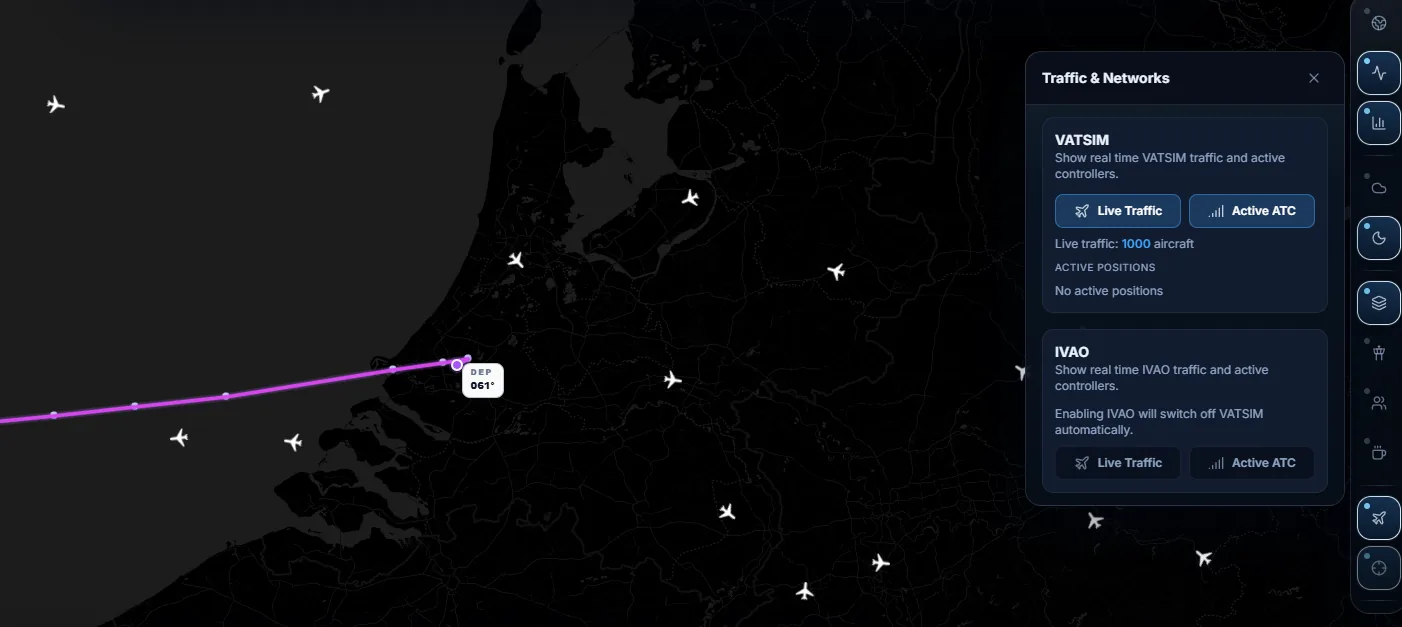
- Network traffic
- VATSIM and IVAOLive aircraft from both networks on your map.
- ATC coverage
- Online controllersWho is staffed, and the airspace they cover.
- Cabin Crew
- Airline announcementsYour crew speaks up at each phase of flight.
- Charts
- From ChartFoxDiagrams, SIDs, STARs and approaches.
- Flight plan export
- .PLN, .FMS, GPXSend your route to MSFS, X-Plane or a GPS app.
- Measure
- Distance and bearingBetween any two points on the map.
- Command palette
- Ctrl KJump to an airport, chart or setting.
- Tablet
- iPad as your EFBRuns in Safari, no app to install.

Off the monitor, onto the yoke.
Open SimCharts in Safari on an iPad and use it as your EFB. Route, charts and your aircraft follow you to the second screen.
Now fly it. ILS Z runway 24, at night.
The same Rotterdam approach from the top of the page. Keep scrolling to land, and set SimCharts up on the way down.
1000
Install SimCharts Bridge. Free for Windows, set up once next to your simulator.
500
Start your sim. Bridge connects on its own and your SimBrief plan comes in with one click.
100
Your aircraft is already on the map, with the runway 24 plate beside it.
50
40
30
20
10
Questions pilots ask
Is SimCharts free?
Yes. Core features including live sim sync, chart access, and procedure lookup are free. No credit card is required. Supporting the project is optional.
Which simulators can I use?
SimCharts supports Microsoft Flight Simulator 2020 and 2024, X-Plane 11 and 12, and Prepar3D through SimCharts Bridge on Windows.
How does the simulator connection work?
Run the lightweight SimCharts Bridge alongside your simulator. It detects the sim and sends the aircraft state and flight plan to your SimCharts session.
How is this different from a static chart viewer?
SimCharts connects to your simulator. Your aircraft moves on the map, procedures are matched to the active flight plan, and charts stay beside the route you are flying.