Where to get free flight sim charts
You do not need a subscription to fly published procedures in MSFS, X-Plane or Prepar3D. Between ChartFox, government publications and the tools built into the sims, most busy airports are covered for free. Here is what each source is good for, and where it runs out.
Free, no credit card. Updated .
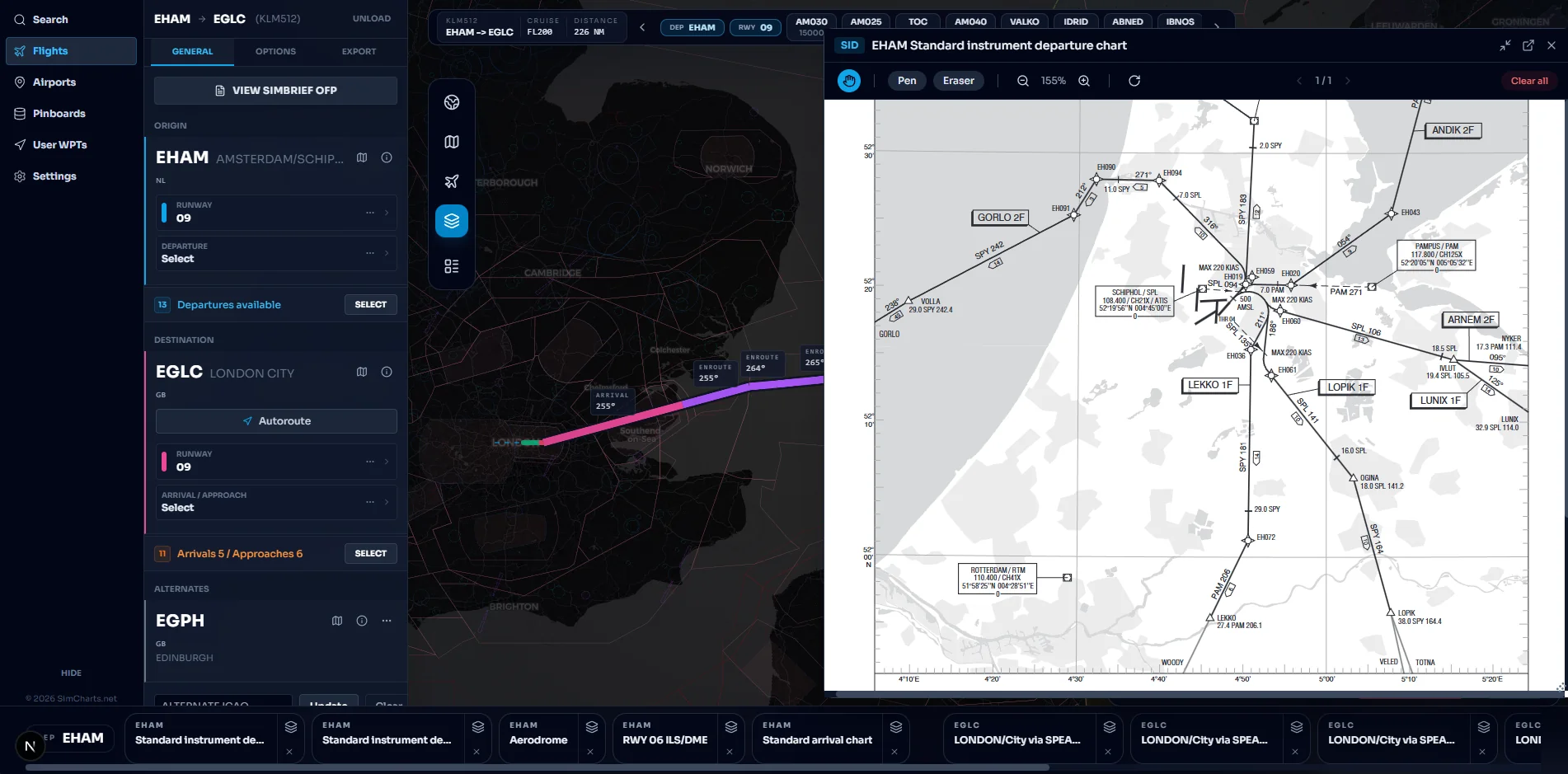
The free sources at a glance
Coverage notes are based on public descriptions and pilot reports; providers change, so check before you rely on one for a specific airport.
| Source | What you get | Coverage | Live map | Best for |
|---|---|---|---|---|
| SimCharts | ChartFox charts beside your route, procedures matched to the plan | Follows ChartFox | Yes, free Bridge | Charts and a moving map in one place |
| ChartFox | Airport and procedure charts | Best in Europe and North America | No | Looking up a plate quickly |
| National AIPs | Official AD 2 aerodrome charts as PDFs | One country per website | No | Regions ChartFox misses |
| FAA terminal procedures | Official US plates and airport diagrams | United States | No | US flying |
| SkyVector | Enroute charts and route planning | Strongest for the US | No | Planning routes and airways |
| MSFS 2024 EFB | Built-in planning and airport info | Airline-focused, varies | Inside the sim | Staying in the cockpit |
ChartFox
ChartFox is the free source most simmers start with. It collects publicly available charts into one searchable place, and it is popular with pilots flying on VATSIM. Coverage is good across Europe and North America; pilots report gaps in parts of Asia and for some smaller fields. It is a chart library, so you still need something else for the moving map.
SimCharts uses ChartFox as its chart source, so the same charts appear grouped per airport next to your route. If you have a ChartFox account you can also link it in SimCharts settings.
National AIPs and the FAA
Most countries publish an Aeronautical Information Publication online, often as an eAIP. The aerodrome section, AD 2, holds each airport's charts: ground movement, SIDs, STARs and instrument approaches. These are the source documents, always current, and free. The downside is effort. Every country has its own website, layout and file naming, and you are juggling PDFs while you fly.
In the United States the FAA publishes terminal procedures (approach plates, departures, arrivals and airport diagrams) for free every cycle. If you mostly fly in the US, that alone covers you.
Keep an eye on the AIRAC cycle. A chart published this month may name a procedure that your sim's navdata does not have yet, or the reverse.
SkyVector and in-sim tools
SkyVector is a free web chart viewer and route planner, strongest for US VFR and IFR enroute charts. It is great for planning airways, less so for airport plates outside the US.
MSFS 2024 has its own EFB with flight planning and airport information. Pilots on community forums describe its chart coverage as airline focused, so it suits jet flying between large airports and is thinner for general aviation fields. X-Plane gives you navdata and a map but not plates; the free AviTab plugin can show charts from a source you configure inside the cockpit. Little Navmap is a free, open source planner and moving map for both sims, but it draws its own map rather than showing published charts.
Putting it together in SimCharts
Free chart sources answer one question: what does the plate say. While you fly you also want to know where you are on it. SimCharts adds that layer for free:
- Your aircraft on a moving map with the free Bridge for MSFS 2020 and 2024, X-Plane 11 and 12, and Prepar3D.
- SIDs, STARs and approaches matched to your runway and route, drawn on the map.
- Your SimBrief flight plan imported with your username or Pilot ID.
- Decoded METAR and TAF, the favoured runway with crosswind, and frequencies.
- VATSIM and IVAO traffic and ATC coverage on the same map.
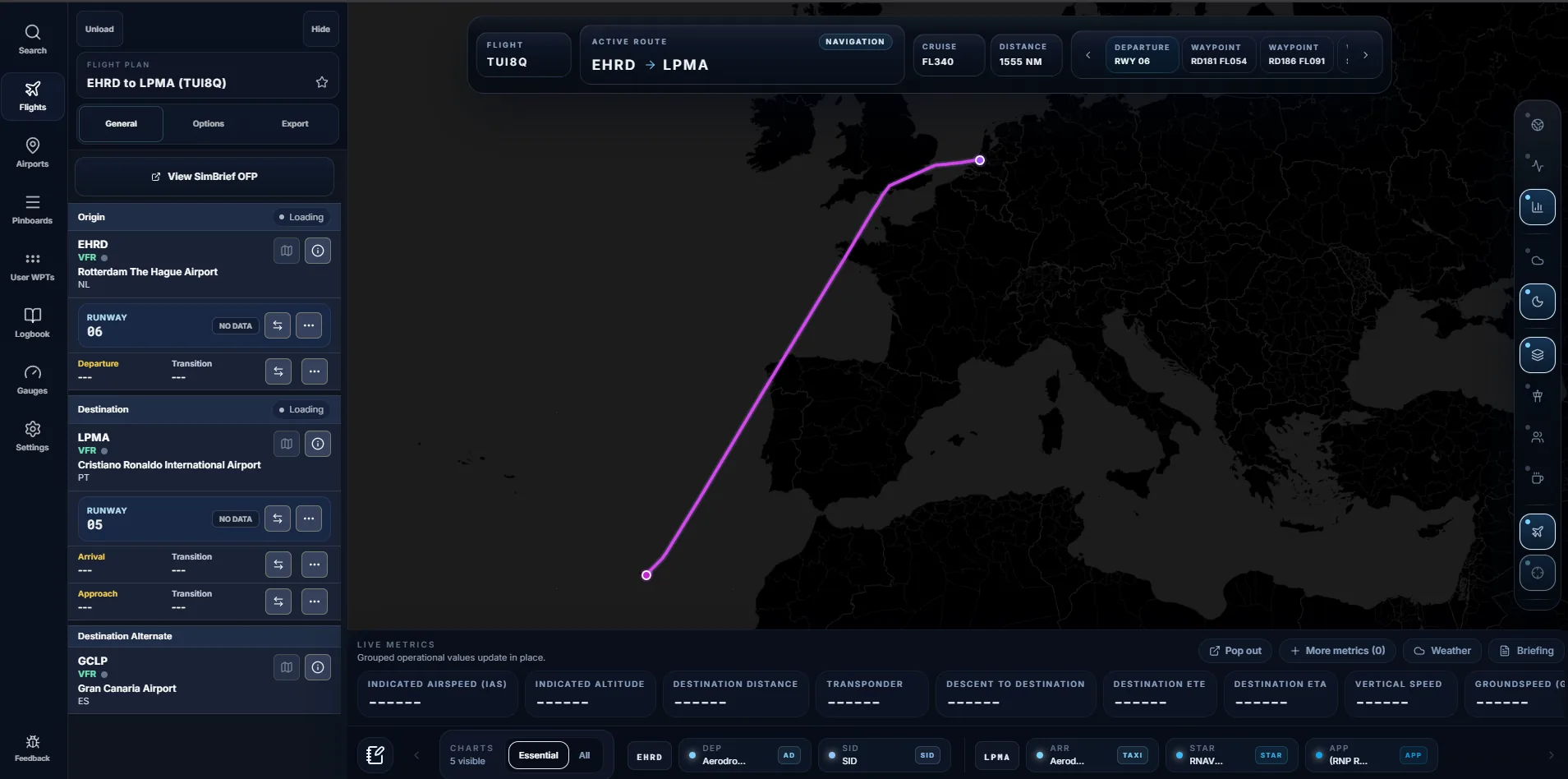
Try it on an airport you know: London Heathrow, Paris Charles de Gaulle, Frankfurt or Atlanta. Sim-specific setup is in the guides for MSFS and X-Plane.
When paying makes sense
Free sources have gaps. If your favourite routes take you to airports ChartFox does not cover, or you want one consistent chart style worldwide with an update every cycle, Navigraph is the established paid service and works with all the major sims. We compare the two honestly in SimCharts as a Navigraph alternative.
Questions pilots ask
Where can I get free charts for flight simulation?
The main free sources are ChartFox, the national aeronautical information publications (AIPs) that many countries publish online, the FAA's terminal procedures for US airports, SkyVector for US-focused enroute charts, and the EFB built into MSFS 2024. SimCharts shows ChartFox charts beside a live map of your flight for free.
Is ChartFox free?
Yes. ChartFox is a free, community-run chart service for flight simulation. Coverage is strongest in Europe and North America and thinner in parts of Asia, Africa and South America.
Why does the chart not match my FMS?
Real-world charts are updated every 28-day AIRAC cycle, while the navdata in your sim may be from an older or newer cycle. When a procedure has been renamed or replaced, the chart and FMS disagree. Use charts and navdata from the same period where you can, and check the procedure name before you fly it.
Are free charts legal to use in a simulator?
Government publications such as AIPs and FAA procedures are published for public access, and ChartFox is built for simulation use. Always follow each source's terms, and never use simulation tools for real-world navigation.
When is a paid chart subscription worth it?
If you regularly fly to airports that free sources do not cover, or you want one consistent chart style worldwide with updates every cycle, a paid service such as Navigraph is worth considering.
Fly your next leg with the chart beside the route.
Open the map in your browser now. Add the Bridge when you want your aircraft on it.